As a provider in the G.hn industry, I often encounter the question: Can non - technical users easily manage a G.hn network? This is a crucial inquiry, considering the increasing demand for high - speed, reliable home networking solutions. In this blog, I'll delve into the aspects of G.hn networks and whether non - technical users can handle their management with ease.


Understanding G.hn Networks
G.hn, or ITU - T G.9960/61, is a standard for high - speed home networking over existing home wiring, such as power lines, coaxial cables, and phone lines. It offers a unified approach to home networking, eliminating the need for new cabling and providing a reliable alternative to Wi - Fi in areas with poor wireless coverage.
The technology behind G.hn is designed to provide high - speed data transmission, with speeds reaching up to gigabit per second. It uses advanced modulation techniques and error - correction algorithms to ensure stable and efficient communication over different types of home wiring. For example, when using coaxial cables, G.hn can take advantage of the cable's high - frequency characteristics to deliver high - bandwidth data.
Ease of Setup
One of the key factors in determining whether non - technical users can manage a G.hn network is the ease of setup. Most G.hn products on the market are designed with user - friendliness in mind. For instance, many G.hn adapters come with a simple plug - and - play mechanism. Non - technical users can simply plug the adapters into the existing home wiring (such as power outlets or coaxial sockets) and connect their devices to the adapters via Ethernet cables.
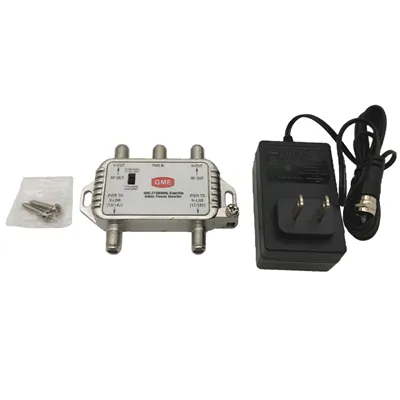
Our company offers a range of G.hn products, like the EoC Gigabit Adapter Kit. This kit is specifically designed for easy installation. The package includes clear instructions that guide users through the setup process step by step. Even if a user has no prior networking knowledge, they can usually set up the kit within a few minutes.
Configuration and Management
Once the G.hn network is set up, the next aspect is configuration and management. Modern G.hn devices often come with intuitive web - based management interfaces. These interfaces allow users to perform basic configuration tasks, such as setting up a network name (SSID) and password, enabling security features, and managing connected devices.
For example, our G.hn EoC Controller Endpoint has a user - friendly web interface. Non - technical users can access this interface through a web browser on their devices. The interface uses simple language and visual cues to guide users through the configuration process. They can easily view the status of the network, manage connected devices, and adjust security settings.
However, there are some more advanced configuration options that might be a bit challenging for non - technical users. For example, setting up Quality of Service (QoS) to prioritize certain types of network traffic (such as video streaming or online gaming) requires a basic understanding of networking concepts. But in most cases, the default settings of G.hn devices are sufficient for normal home use.
Troubleshooting
Troubleshooting is another important aspect of network management. When problems occur in a G.hn network, non - technical users need to be able to identify and resolve the issues. Fortunately, many G.hn devices come with built - in diagnostic tools. These tools can detect common problems, such as connection issues, signal interference, or device malfunctions.
In addition, our company provides comprehensive technical support. If a non - technical user encounters a problem that they cannot solve on their own, they can contact our support team. Our support staff is trained to guide users through the troubleshooting process in a simple and understandable way.
Integration with Other Technologies
G.hn networks can be integrated with other networking technologies, such as Wi - Fi. This integration can provide users with a seamless and comprehensive home networking experience. For example, our EOC With WiFi6 solution combines the reliability of G.hn over coaxial cables with the high - speed and flexibility of Wi - Fi 6.
Non - technical users can benefit from this integration as it allows them to use both wired and wireless connections in their homes. They can connect their desktop computers to the G.hn network via Ethernet cables for a stable and high - speed connection, while using Wi - Fi 6 for their mobile devices, such as smartphones and tablets. The integration process is usually straightforward, and our products are designed to work together seamlessly.
Security Considerations
Security is a major concern for any network user, including non - technical users. G.hn networks are designed with multiple security features to protect user data and privacy. These features include encryption, authentication, and access control.
Most G.hn devices support WPA2 or WPA3 encryption, which ensures that the data transmitted over the network is encrypted and protected from unauthorized access. Non - technical users can easily enable these security features through the device's management interface. Our products also provide regular security updates to protect against emerging threats.
Conclusion
In conclusion, non - technical users can generally manage a G.hn network with relative ease. The ease of setup, user - friendly management interfaces, built - in diagnostic tools, and comprehensive technical support make it possible for them to handle the basic aspects of network management. While there are some advanced configuration options that might require more technical knowledge, the default settings are usually sufficient for normal home use.
If you're interested in our G.hn products and would like to discuss purchasing options, please feel free to reach out to us. We're committed to providing you with the best networking solutions and excellent customer service.
References
- ITU - T Recommendation G.9960/61: G.hn Standard
- Manufacturer's product documentation for G.hn devices