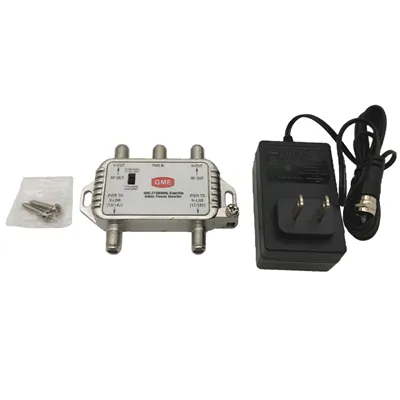
When it comes to extending the reach of your Wi-Fi network, a Wi-Fi repeater can be an excellent solution. As a Wi-Fi repeater supplier, I often receive questions from customers about whether they need to configure their router when using a Wi-Fi repeater. In this blog post, I'll delve into this topic and provide you with the information you need to make an informed decision.
Understanding the Basics of a Wi-Fi Repeater
A Wi-Fi repeater, also known as a Wi-Fi extender, is a device that amplifies and rebroadcasts an existing Wi-Fi signal. It works by receiving the Wi-Fi signal from your router, boosting it, and then transmitting the strengthened signal to areas of your home or office where the original signal was weak or non-existent. This allows you to enjoy a stronger and more stable Wi-Fi connection throughout a larger area.
Do You Need to Configure Your Router?
The short answer is: it depends. In most cases, you do not need to configure your router when using a Wi-Fi repeater. The repeater is designed to work independently of your router and can be set up without making any changes to your router's settings. However, there are a few scenarios where you may need to make some adjustments to your router:
Compatibility Issues
Some older routers may not be fully compatible with certain Wi-Fi repeaters. In such cases, you may need to update your router's firmware to ensure that it can communicate effectively with the repeater. Firmware updates can often be downloaded from the router manufacturer's website and installed through the router's web interface.
Dual-Band Routers
If you have a dual-band router that supports both 2.4 GHz and 5 GHz frequencies, you may need to configure your repeater to connect to the appropriate band. Some repeaters are capable of connecting to both bands simultaneously, while others may only support one band. Make sure to check the specifications of your repeater and router to determine the best configuration for your needs.
Security Settings
Your router's security settings, such as WPA2 or WPA3 encryption, can affect the performance of your Wi-Fi repeater. If your repeater is not able to connect to your router, it may be due to incompatible security settings. In this case, you may need to adjust the security settings on your router to match those of the repeater.
Setting Up a Wi-Fi Repeater
Setting up a Wi-Fi repeater is typically a straightforward process that can be completed in a few simple steps:
- Choose the Right Location: Place the repeater in an area where it can receive a strong signal from your router and where you want to extend the Wi-Fi coverage. Avoid placing the repeater too close to the router or in an area with a lot of interference, such as near a microwave oven or cordless phone.
- Power On the Repeater: Plug the repeater into a power outlet and wait for it to boot up. The repeater will usually have an LED indicator that shows its status.
- Connect to the Repeater: Use a device, such as a smartphone or laptop, to connect to the repeater's default Wi-Fi network. The network name (SSID) and password are usually printed on the repeater's label.
- Configure the Repeater: Open a web browser on your device and enter the repeater's IP address in the address bar. This will take you to the repeater's setup page. Follow the on-screen instructions to select your router's Wi-Fi network, enter the password, and configure any other settings, such as the SSID and channel for the repeater's network.
- Test the Connection: Once the setup is complete, disconnect from the repeater's default network and connect to the newly created Wi-Fi network. Test the connection by browsing the internet or using other Wi-Fi-enabled devices to ensure that the signal is strong and stable.
Benefits of Using a Wi-Fi Repeater
Using a Wi-Fi repeater offers several benefits, including:
- Extended Coverage: A Wi-Fi repeater allows you to extend the range of your Wi-Fi network, eliminating dead zones and providing a stronger signal in areas where the original signal was weak.
- Easy Installation: Setting up a Wi-Fi repeater is usually a simple and straightforward process that can be completed without the need for professional installation.
- Cost-Effective: Wi-Fi repeaters are relatively inexpensive compared to other solutions for extending Wi-Fi coverage, such as installing a mesh Wi-Fi system or a wired network.
- Compatibility: Most Wi-Fi repeaters are compatible with a wide range of routers and devices, making them a versatile solution for extending Wi-Fi coverage in homes and offices.
Related Products
In addition to Wi-Fi repeaters, we also offer a range of other products that can enhance your network connectivity. Check out our Joint Closure 48 Core, which is designed for fiber optic splicing and protection. Our XPON ONU 1GE CATV provides high-speed internet and CATV services, while our Indoor Media converter is ideal for converting between different network media types.
Conclusion
In conclusion, in most cases, you do not need to configure your router when using a Wi-Fi repeater. However, there are a few scenarios where you may need to make some adjustments to your router's settings to ensure compatibility and optimal performance. Setting up a Wi-Fi repeater is a simple and cost-effective way to extend the range of your Wi-Fi network and eliminate dead zones. If you have any questions or need assistance with setting up a Wi-Fi repeater or any of our other products, please don't hesitate to contact us. We're here to help you find the best solution for your network needs.
If you're interested in purchasing our Wi-Fi repeaters or any of our other products, please reach out to us for a detailed quote and to discuss your specific requirements. Our team of experts is ready to assist you in making the right choice for your network.


References
- Cisco Systems. (2023). Wi-Fi Extenders and Range Boosters. Retrieved from Cisco official website.
- Netgear. (2023). How to Set Up a Wi-Fi Extender. Retrieved from Netgear official website.
- TP-Link. (2023). Troubleshooting Wi-Fi Extenders. Retrieved from TP-Link official website.