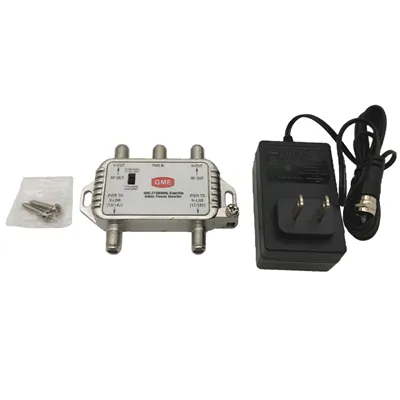
As a CATV provider, one of the most frequently asked questions I encounter is about the recording capacity of a CATV DVR. In this blog post, I'll delve into the details of what determines the recording capacity of a CATV DVR, how it impacts your viewing experience, and what you should consider when choosing a DVR for your CATV system.
Understanding the Basics of a CATV DVR
A CATV DVR, or Cable Television Digital Video Recorder, is a device that allows you to record, store, and play back television programs. It works by capturing the digital signal from your CATV service and storing it on an internal hard drive. Unlike traditional VCRs, which used videotapes, DVRs offer a more convenient and reliable way to record and manage your favorite shows.
Factors Affecting Recording Capacity
The recording capacity of a CATV DVR is primarily determined by two factors: the size of the internal hard drive and the video compression technology used.
Hard Drive Size
The size of the hard drive is the most obvious factor affecting recording capacity. Hard drives come in various sizes, typically ranging from 500GB to 4TB or more. The larger the hard drive, the more programs you can record and store. For example, a 1TB hard drive can store approximately 200 hours of standard-definition (SD) video or 50 hours of high-definition (HD) video.
Video Compression Technology
Video compression technology is used to reduce the size of the video files without significantly affecting the quality. Different DVRs use different compression algorithms, which can have a significant impact on the recording capacity. For example, a DVR that uses a more efficient compression algorithm can store more hours of video on the same-sized hard drive compared to a DVR that uses a less efficient algorithm.
Calculating Recording Capacity
To calculate the recording capacity of a CATV DVR, you need to consider the video quality (SD or HD), the compression ratio, and the size of the hard drive. Here's a simple formula to estimate the recording capacity:
Recording Capacity (hours) = Hard Drive Size (GB) / (Video Bitrate (Mbps) x 0.45)


For example, if you have a 1TB (1000GB) hard drive and a video bitrate of 4Mbps (which is typical for HD video), the estimated recording capacity would be:
Recording Capacity = 1000GB / (4Mbps x 0.45) = 1000GB / 1.8GB per hour ≈ 555 hours
Keep in mind that this is just an estimate, and the actual recording capacity may vary depending on the specific DVR model and the compression algorithm used.
Impact of Recording Capacity on Viewing Experience
The recording capacity of a CATV DVR can have a significant impact on your viewing experience. If you have a large hard drive with a high recording capacity, you can record more shows and movies without having to worry about running out of space. This allows you to build up a library of your favorite programs and watch them at your convenience.
On the other hand, if you have a small hard drive with a limited recording capacity, you may have to delete old recordings to make room for new ones. This can be frustrating, especially if you want to keep certain shows or movies for future viewing.
Choosing the Right DVR for Your Needs
When choosing a CATV DVR, it's important to consider your viewing habits and needs. If you watch a lot of live TV and only need to record a few shows here and there, a DVR with a smaller hard drive may be sufficient. However, if you're a heavy DVR user who likes to record multiple shows and movies, you'll want to choose a DVR with a larger hard drive and a high recording capacity.
In addition to the recording capacity, you should also consider other features such as the number of tuners, the ability to skip commercials, and the user interface. Some DVRs also offer additional features such as streaming to other devices, cloud storage, and integration with other smart home devices.
The Role of a Multi Media Drop Amplifier
In some cases, you may need to use a Multi Media Drop Amplifier to improve the signal strength and quality of your CATV system. A multi media drop amplifier is a device that boosts the signal from the cable line to your DVR and other devices. This can help to ensure that you get a clear and stable picture, especially if you're located far from the cable provider's distribution point or if you have a long cable run.
Contact Us for More Information
If you're interested in learning more about CATV DVRs or if you're looking for a reliable CATV provider, please don't hesitate to contact us. Our team of experts can help you choose the right DVR for your needs and provide you with all the information you need to make an informed decision. Whether you're a residential customer or a business owner, we have the solutions to meet your CATV needs.
References
- "Digital Video Recorders: A User's Guide." Consumer Reports, 2023.
- "Understanding Video Compression." TechTarget, 2023.
- "Cable Television Systems: Design and Installation." McGraw-Hill, 2022.