

Core Answer: Yes, but it's not a "direct conversion." Instead, specific technologies are used to leverage your existing coaxial cable lines for transmitting Ethernet data. This is an excellent and mature method for upgrading and transforming your home network.
Below, I will provide a comprehensive analysis from the perspectives of technical principles, implementation plans, comparative advantages, and important considerations.
I. Technical Principle: It's Not "Conversion," but "Multiplexing"
You cannot simply swap a coaxial cable connector for an RJ45 plug like changing a plug. Their electrical signal standards and protocols are completely different.
Coaxial Cable: Traditionally designed to transmit radio frequency (RF) signals, such as TV signals, operating in a higher frequency range.
Ethernet (Twisted Pair): Designed to transmit baseband digital signals (0s and 1s).
Therefore, the key to achieving "conversion" is adding dedicated adapters (modems) at both ends of the cable to perform signal modulation and demodulation.
This process can be analogized as follows:
Your home's coaxial cable is like a "highway" that previously only allowed "TV signal" vehicles. Now, we build a "logistics hub" (adapter) at each end of the highway (e.g., study and living room). Your "Ethernet data packets" are disassembled and packed into "RF signal vehicles" capable of traveling on the highway at the sending end. They are transported via the coaxial cable to the other end, where another logistics hub reassembles them back into "Ethernet data packets." The physical line remains unchanged, but the content and method of transportation change.
II. Detailed Breakdown of Mainstream Technical Solutions
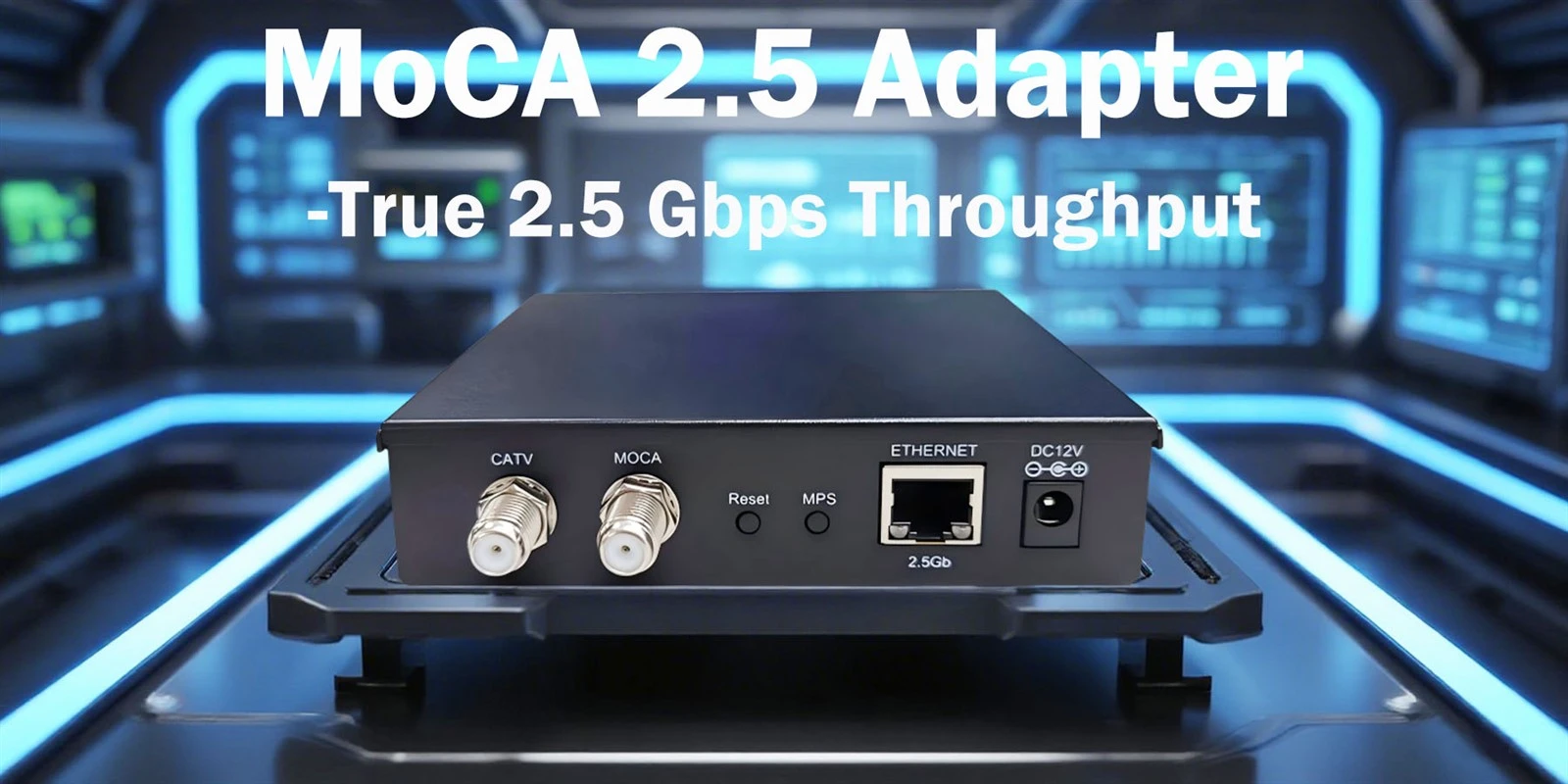
Currently, the most mainstream and recommended technology for home users is MoCA (Multimedia over Coax Alliance).
1. MoCA Technology
How it works: Utilizes the high-frequency bands in the coaxial cable that are not occupied by TV signals (typically between 1000-2500 MHz) to transmit digital network signals. It can coexist with existing cable TV or satellite signals without interference.
Performance:
Speed: The mainstream MoCA 2.5 standard can provide up to 2.5 Gbps raw physical layer rate. The actual usable Ethernet ports are typically 1 Gbps or 2.5 Gbps. This is sufficient to support all high-speed home applications like 4K/8K streaming, online gaming, and large file transfers.
Latency: Extremely low, comparable to wired Ethernet and far superior to Wi-Fi.
Stability: Unaffected by wireless interference or wall attenuation, providing a stable connection close to that of a physical network cable.
Topology Requirement: The coaxial cable outlets in your home need to form a "valid network." Typically, coaxial cables from all rooms converge at a splitter inside a central low-voltage enclosure (structured wiring panel). To implement MoCA, you must ensure the splitter supports the MoCA frequency range (usually labeled 5-2500 MHz). You may also need to add a MoCA filter (PoE Filter) inside the panel to prevent signal leakage outdoors and enhance security.
2. Other Technical Solutions (For Awareness Only, Not Recommended as Primary)
DECA (DirecTV Ethernet over Coax Adapter): Only suitable for DirecTV satellite TV users. Lower bandwidth (~100 Mbps) and may be incompatible with other systems.
HPNA over Coax: Older technology, largely replaced by MoCA.
EoC (Ethernet over Coax): This is a broader term encompassing various coaxial Ethernet technologies, more common in telecom operator and security system fields. Consumer-grade products typically refer to MoCA adapters.
III. Why is This an Excellent Solution? (Advantages)
Utilizes Existing Infrastructure: No need to run new network cables inside walls, avoiding damage to décor. It's the best solution for the "hidden wiring problem."
Outstanding Performance: Provides stable, high-speed bandwidth comparable to or even surpassing Cat 5e/6 cables. It's ideal for backhaul links (Mesh networking), game consoles, NAS devices, and other equipment demanding high network performance.
Synergy with WiFi: Serves as the perfect backhaul for a whole-home Mesh WiFi system. Connect the main Mesh node to a MoCA adapter, and sub-nodes in other rooms via their own MoCA adapters, achieving truly lossless gigabit/multi-gigabit wireless coverage throughout the house.
Relatively Simple Deployment: Generally plug-and-play with simple configuration.
IV. Implementation Steps and Purchasing Advice
Standard Implementation Steps:
Confirm Coaxial Lines: Locate the coaxial cable outlets in the rooms you need to connect and find the central low-voltage enclosure.
Inspect the Enclosure: Open it and confirm the presence of a coaxial splitter. Replace it with a MoCA 2.x compliant wideband splitter (5-2500 MHz).
Install MoCA Filter: In the enclosure, install the filter at the point where the main incoming line connects to the splitter's input port.
Purchase MoCA Adapters: You need one for each room requiring a connection. At least two are required to form a working pair.
Connect Devices:
Connect a LAN port on your router to the Ethernet port of Adapter A using a network cable.
Connect Adapter A to the wall coaxial outlet using a coaxial cable.
In another room, connect Adapter B to the wall coaxial outlet.
Finally, connect the Ethernet port of Adapter B to your computer, game console, TV, or Mesh satellite node using a network cable.
Power On and Pair: Usually, adapters automatically discover each other and establish a connection. Indicator lights show the connection status.
Purchasing Advice:
Look for the Standard: Purchase adapters supporting MoCA 2.5 for optimal performance. Common brands include Actiontec (now ScreenBeam), Motorola, Hitron, gocoax, etc.
Note Port Speed: Adapters have Ethernet ports of either 1 Gbps or 2.5 Gbps. Choose based on your router and device requirements.
Buy in Kits: For first-time use, it's advisable to buy a two-pack (a pair) kit to ensure compatibility.
V. Important Considerations (Limitations)
Lines Must Be Connected: The coaxial outlets in the two rooms you want to use must be physically connected via the splitter inside the enclosure. If the line is disconnected, it needs to be reconnected first.
Splitter and Filter Are Key: Low-quality or incompatible splitters can cause severe signal attenuation or complete failure. The MoCA filter is essential.
Cost: A pair of MoCA 2.5 adapters costs around $100-150, which is an initial investment. However, considering the performance improvement and convenience, it offers high cost-effectiveness.
Not "Infinitely Scalable": While a MoCA network can support up to 16 nodes, each node shares the total bandwidth. For the vast majority of homes (3-5 nodes), bandwidth is more than sufficient.
Conclusion
If your home has pre-installed coaxial cables and you need to establish high-speed, stable, low-latency wired network connections between rooms without rewiring, then adopting MoCA 2.5 technology is your most professional and reliable choice. It successfully transforms the soon-to-be-obsolete TV cable infrastructure into a high-performance home Ethernet backbone, perfectly solving the wiring challenges of modern smart homes.
Abandon the idea of a "direct conversion plug" or using low-performance powerline adapters. Invest in a set of MoCA adapters, and you will experience a qualitative leap in your network performance.


