

If you've ever been frustrated by Wi-Fi dead zones, lag during video calls, or buffering while streaming 4K content, the solution might already be hiding in your walls. The MoCA (Multimedia over Coax Alliance) 2.5 adapter is transforming how we think about home networking, turning existing coaxial TV cables into a powerhouse, multi-gigabit Ethernet backbone. As demands for bandwidth skyrocket, this technology offers a reliable, high-speed alternative to Wi-Fi extenders and Powerline adapters.
This guide explains what MoCA 2.5 adapters are, how they work, and why they might be the most effective upgrade for your home network.
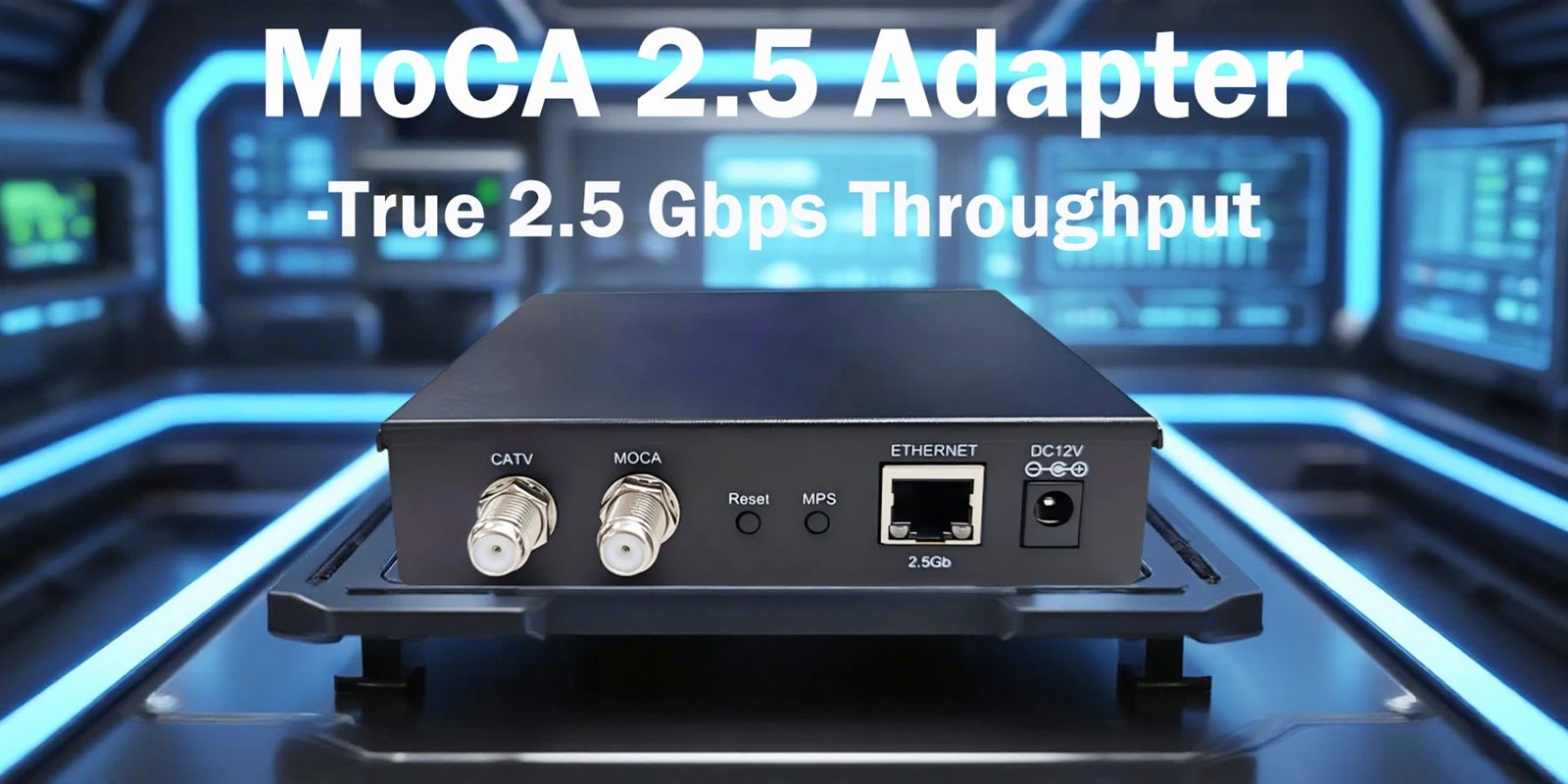
What is a MoCA 2.5 Adapter?
A MoCA 2.5 adapter is a compact hardware device that converts a home's coaxial cable infrastructure-the same cables used for cable TV-into a high-performance Ethernet network. By creating a wired network connection over coaxial cables, it delivers internet speeds that are fast, stable, and secure, directly to any room with a coax outlet.
Think of it as a "translator" for your network signals. It takes the Ethernet data from your router, translates it to run over coaxial cable, and then a second adapter at the other end translates it back to Ethernet for your game console, computer, or Wi-Fi mesh node.
Key Technical Specifications and Standards
Adapters based on the MoCA Home 2.5 standard are currently the most advanced consumer option. The official specifications from the MoCA Alliance highlight what makes this technology so capable:
Speed: Supports maximum PHY (physical layer) data rates of 2.5 Gbps.
Latency: Provides an average one-way latency of less than 3 milliseconds, which is critical for gaming and video conferencing.
Capacity: A single MoCA network can support up to 16 nodes (adapters or MoCA-enabled devices), allowing for extensive whole-home coverage.
Security: Features MoCASec™, which offers robust, point-to-point link privacy comparable to Ethernet standards.
Furthermore, MoCA 2.5 is backward compatible with older MoCA 2.0 and 1.1 devices, making it a safe and future-proof investment.
Why MoCA? The Critical Advantages Over Wi-Fi and Powerline
Wi-Fi is convenient, but it is susceptible to interference from walls, appliances, and neighboring networks. Powerline adapters, which use electrical wiring, are often unreliable due to circuit breakers and electrical noise. MoCA technology offers a distinct middle path.
The following table summarizes the core advantages that make MoCA 2.5 a superior choice for a reliable home network backbone.
| Performance | MoCA 2.5 (Over Coax) | Wi-Fi (Wireless) | Powerline (Over Electrical Wiring) |
| Performance | Consistently high speed (up to 2.5 Gbps) and ultra-low latency (<3ms). | Highly variable; speed and latency degrade with distance and interference. | Highly variable; depends on home electrical wiring quality and circuit paths. |
| Reliability | Extremely stable, dedicated connection similar to Ethernet. | Prone to interference and congestion. | Often unstable; performance can fluctuate with appliance use. |
| Coverage | Excellent signal integrity throughout the home using shielded coax cable. | Limited by physical obstructions (walls, floors). | Limited to circuits connected to the same electrical phase. |
| Security | Features MoCASec™ for encrypted, point-to-point links. | Security dependent on Wi-Fi protocol (WPA2/WPA3). | Varies by product; some lack strong encryption. |
Key Applications: Where MoCA 2.5 Adapters Truly Shine
1. Creating a Robust Wi-Fi Mesh Backhaul
This is arguably the most impactful use. In a multi-router or mesh Wi-Fi system, the connection between the primary router and satellite nodes (the "backhaul") is crucial. Using MoCA adapters to create a wired backhaul over coax ensures that your Wi-Fi pods communicate at maximum speed and minimum latency, dramatically improving overall wireless performance for all connected devices
.
2. Enabling High-Performance Wired Connections
For devices that demand the best-like gaming PCs, consoles, 4K/8K streaming boxes, and home servers-a direct wired connection is ideal. MoCA allows you to place these devices anywhere you have a coax outlet, providing a near-perfect "Ethernet-like" experience without the need to run new cables through your walls
.
3. Supporting Modern Work-from-Home and Learning Needs
Video conferencing, large file transfers, and cloud applications require a stable, low-latency connection. A MoCA-powered home office setup eliminates the risk of dropped Zoom calls or choppy audio, providing a professional-grade connection
.
4. Industry Adoption: Beyond the Living Room
The value of this technology is recognized beyond consumers. Internet Service Providers (ISPs) and equipment manufacturers are integrating MoCA to solve last-mile challenges. For instance:
Fiber Extension: MoCA Access technology is being used to extend fiber-to-the-premises (FTTP) networks within multi-dwelling units (MDUs) using existing coaxial wiring, offering a cost-effective path to gigabit speeds
.
Equipment Integration: Major manufacturers are embedding MoCA 2.5 chips into next-generation equipment, like 10G PON Optical Network Terminals (ONTs), to ensure seamless high-speed connectivity within the home
.
What to Look for When Choosing a MoCA 2.5 Adapter
If you're ready to upgrade, here are the key factors to consider:
Ethernet Port Speed: This is critical. To fully utilize the 2.5 Gbps MoCA potential, look for an adapter with a 2.5 Gigabit Ethernet (2.5GbE) port, like the ScreenBeam ECB7250
. Some adapters, like the Kiwee Broadband KB-M3-02, even feature dual 2.5GbE ports for connecting two high-speed devices simultaneously
.
Compatibility Check: Ensure the adapter is compatible with your existing ISP equipment. Most are, but they are typically incompatible with DIRECTV, Dish, or AT&T U-verse satellite signals on the same coax line. If you have DOCSIS 3.1 cable internet, you may need a PoE (Point of Entry) filter to prevent frequency interference
.
Ease of Setup: Modern adapters are designed for plug-and-play installation. Features like MoCA Protected Setup (MPS) allow for simple, secure connection synchronization with the push of a button, similar to Wi-Fi's WPS
.
Packaging (Starter Kit vs. Add-On): You need at least two adapters to create a link. Starter Kits contain two matched units and are perfect for beginners. Single add-on adapters (like the ECB7250S02) are for expanding an existing MoCA network to additional rooms
.
Setting Up Your MoCA Network: A Simplified Overview
Installation is straightforward and requires no special tools or configuration for basic use:
Connect Adapter #1: Plug one MoCA adapter into an Ethernet port on your router and into a nearby coaxial wall outlet.
Connect Adapter #2: In another room, plug the second adapter into the coaxial outlet and connect its Ethernet port to your device (e.g., gaming console, mesh node, computer).
Secure the Network: Press the MPS button on both adapters (if available) to establish a secure, encrypted connection.
Optional but Recommended: Install a PoE (Point of Entry) filter on the main coaxial line where it enters your home. This improves security and performance by keeping your MoCA signal contained within your residence.
The Smart, Future-Ready Network Upgrade
MoCA 2.5 adapters solve a very modern problem with a clever, existing resource: your home's coaxial wiring. They deliver the speed, stability, and low latency of a wired Ethernet connection with the convenience of using outlets you already have. Whether your goal is to eliminate Wi-Fi dead zones, build a lag-free gaming setup, or create a professional-grade office network, this technology provides a proven and highly effective solution.
As the industry moves towards multi-gigabit internet plans, having a robust internal network backbone becomes essential. A MoCA 2.5 network ensures that when that faster internet service arrives at your door, your home will be ready to deliver every bit of that speed to every corner of every room.


